RTS Box Selection in Unity Tutorial
You can access the full course here: Real-time Strategy Project – Unit Movement Multiple Units To begin, let’s duplicate the unit a few times and move them around. Then select
Learn Unity! Explore how to make games with Unity, code specific game mechanics, work in different genres, and more via free Unity tutorials.
You can access the full course here: Real-time Strategy Project – Unit Movement Multiple Units To begin, let’s duplicate the unit a few times and move them around. Then select
You can access the full course here: Player Authentication with Azure PlayFab Setting up the PlayFab App To begin, let’s go to the PlayFab website: http://playfab.com. If you have a
You can access the full course here: Mobile Game Development for Beginners Caching Objects In Unity, there’s many functions we can use to easily get objects/components. GameObject.Find GameObject.GetComponent GameObject.FindObjectOfType GameObject.FindObjectWithTag
You can access the full course here: Mobile Game Development for Beginners Adding Mobile Components In order to build to Android or iOS, we need to add the corresponding components
You can access the full course here: Intro to Game Development with Unity Part 1 What is a Material? Materials define how an object looks in-game. Texture, transparency, color, reflectiveness,
You can access the full course here: Shader Graph for Beginners Creating the Project When creating a new Unity project, there’s two things we need to keep in mind. Set
You can access the full course here: Develop a Puzzle Platformer Game In this lesson you will learn how to create the first level layout of this game. This will
You can access the full course here: Develop a Puzzle Platformer Game In this lesson you will learn how to set up the character controller by importing the Standard Assets
You can access the full course here: Create and Manage Huge Worlds Part 1 Creating our Terrain For this project, we’re going to be needing a terrain to test out
You can access the full course here: Turn-Based Game – Multiplayer Projects Part 1 Folder Structure In the Unity project, let’s setup our folders in the Project window. Create the following
In the previous blog we created our obstacles, so let’s begin spawning them. If you haven’t read Part 1 yet, it’s highly recommended. Many of the features in this blog
You can access the full course here: Language Recognition AI with Unity and Azure Part 1 Language Understanding (LUIS) The first of two Microsoft Cognitive Services we’re going to be
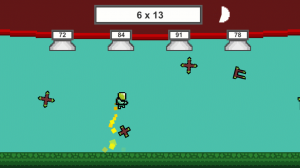
In this tutorial, we’re going to be creating a 2D math game, in a similar vein to Math Blaster. This project is going to feature a player character that can move
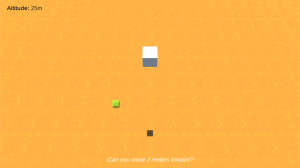
Introduction In this tutorial, we’re going create a voice controlled game where you move a landing mars rover. We’ll be using 2 different services from Microsoft’s Azure Cognitive Services: LUIS
You can access the full course here: Unity 2D Projects – Super Plumbers Part 1 Project Setup We will start this lesson off by opening Unity and creating a new
You can access the full course here: Unity 2D Projects – Rocket Defender Part 1 Welcome to Zenva’s Retro Series – Rocket Defender course. Throughout this course, we’re going to
Introduction In this tutorial, we’re going to create an app that allows you to analyze text through your phone camera and speak it out to you. If you want to
You can access the full course here: RPG – Multiplayer Projects Part 1 Setting up the Project Before we begin, let’s first set up our folders and scenes. In the Scenes folder,