
How to Build Godot Utility AI for Autonomous Villagers
Learn Godot utility AI step by step: score actions with considerations, have a Brain pick the best action each frame, and build your autonomous villagers.
Master Godot 4 – the perfect solution for 2D and 3D games. These free tutorials will help you build survival games, RPGs, and more!
Learn Godot utility AI step by step: score actions with considerations, have a Brain pick the best action each frame, and build your autonomous villagers.

Learn Godot crowd spawning for a hypercasual game: calculate circular formations, spawn or remove movers, and position each character around a shared target.

Learn Godot 3D animation from a Unity developer’s perspective. Use AnimationPlayer to add keyframes, smooth a ball’s motion, and enable automatic playback.

Build Godot mouse look with GDScript. Compare Unity scripting concepts, capture the cursor, read mouse motion, and clamp a first-person camera’s vertical angle.

Learn Godot materials with Unity examples. Create glossy, metallic, and glowing surfaces, then add a sky, lighting, reflections, fog, and ambient occlusion.
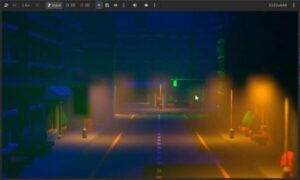
Build a Godot cinematic camera with target tracking, handheld shake, and depth of field. Set up a camera manager to switch cutscene viewpoints by their IDs.

Learn how to make games with Muse Wonder in Godot using OpenCode. Plan a fantasy strategy game, refine its visuals and exploration, and review the test cost.

Build a Godot fighting game camera with smooth following, distance-based zoom, damage-triggered shake, and a two-player HUD that updates each fighter’s health.

Learn how to make games with Mistral using OpenCode, Blender and Godot. Plan a monster-truck game, test its limits, and see how Codex rebuilds the result.

Build a Godot input buffer for a fighting game. Set up fighter scenes, read separate player inputs, and store recent actions in a 20-frame rolling history.

Learn how to improve Godot game graphics with Opus 5.5 using richer terrain, skies, water, and biome colors, faster iteration, and smoother LOD transitions.

Learn Godot composition by turning one pickup script into reusable components for rotation, scaling, color changes, and player detection in a 3D scene.

Learn how to make games with Sonnet 5.5 by building a Godot RTS: plan your game, generate models, fix a bug, and test large battles for gameplay performance.

Learn how to make games with GPT-6 Sol: generate ChatGPT assets, plan a 2D beat ’em up in Codex, connect Godot AI, and play-test your finished prototype.

Learn how to improve AI-generated games with Opus 5.5 in Godot. Refine terrain and biomes, test fixes, and review performance, usage, and gameplay limits.
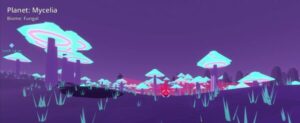
Learn how to make games with Opus 5.5 and Godot by planning a planet-exploration game, connecting AI tools, testing your build, and fixing gameplay issues.
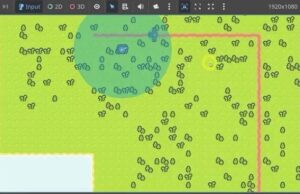
Build a Godot tower defense level with path-following enemies, aiming towers, bullets, tiled terrain, and a draggable camera in this step-by-step guide.
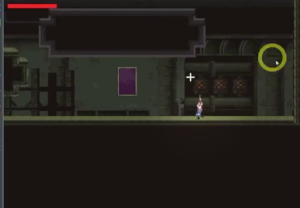
Build a Godot gun system for a Metroidvania game with weapon switching, custom bullets, rocket explosions, and shotgun particles with area damage in GDScript.