Uncategorized


Amazon Sumerian Tutorials – Complete Guide
Have you ever wanted to build a VR, AR, or 3D experience, but just don’t know how you’d even distribute it? Or, are you stuck using your 5-year-old laptop that
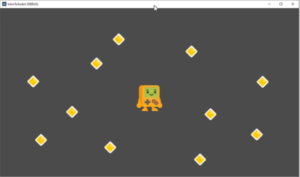
How to Create a Game with Godot 4 – Beginner’s Tutorial
Want to make games, but are tired of everything being about Unity and Unreal Engine? Godot is a great game engine for both 2D and 3D games – making it
How to Code a Virtual Reality Game
In recent years, virtual reality has become one of the hottest topics around. Though it has been attempted several times in the past, it was often written off as a
Best Augmented Reality Tutorials – AR Unlocked
Augmented reality (AR) is everywhere – and so are augmented reality tutorials! From powering popular games such as Pokémon Go, the technology has expanded to become an essential tool of
Free Course – Unity’s XR Interaction Toolkit for VR
Learn to create virtual reality games without the need to code – all by exploring the basics of Unity’s XR Interaction Toolkit. You can also dive further into using the
How to Create an EasyAR Image Target in Unity
You can access the full course here: EasyAR and Marker-Based Apps for Beginners Tutorial In this lesson, we are going to work on setting up our image target inside of
How to Code Augmented Reality Apps
Want to learn skills for cutting-edge technology? Also, want to learn how to code augmented reality apps? You’ve come to the right place. Augmented reality is one of the newest
A Guide to Third-Person Controllers
You can access the full course here: Develop a 3D Action RPG with Godot Player Setup In this lesson, we are going to begin to create our player. Creating

Free eBook – Godot Game Development for Beginners
We’re overjoyed to bring you our eBook: Godot Game Development for Beginners. Please note the ebook uses version 3 of the engine. We also have a newer PDF ebook on
Create a Top-Down 2D Character
You can access the full course here: Create a 2D RPG with Godot Creating the Player Scene In this lesson, we’re going to begin our Player controller. This is

How to Create an FPS Player and Camera
You can access the full course here: Build a First-Person Shooter with Godot Creating The Player In this lesson, we’re going to create our player object. Let’s begin by
How to Track Players with Godot’s Camera
You can access the full course here: Godot Game Development for Beginners In this lesson, we’re going to be creating a camera in Godot and having it track our player
An Introduction to the Godot Editor
You can access the full course here: Godot Game Development for Beginners Godot Editor In this lesson, we are going to be creating our first Godot project. Creating a new
Setting up an AR Project with EasyAR and Unity
You can access the full course here: EasyAR and Marker-Based Apps for Beginners To start this lesson go to File/Build Settings and click Add Open Scenes: Then choose either Android
How to Install the EasyAR SDK for Unity
You can access the full course here: EasyAR and Marker-Based Apps for Beginners To begin our excursion into AR, you need to download the EasyAR SDK. Go to https://easyar.com/ and
Free Course – Learn Godot Game Development
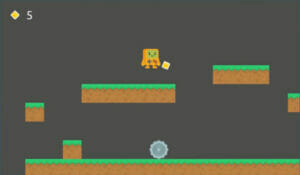
Start your journey into becoming an expert game developer by learning the Godot game engine – all for free in the complete Godot engine tutorial above! You can also download