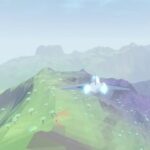
Learning how to make games with Sonnet 5.5 means guiding a project beyond its first generated version. Zenva’s experience teaching coding and game development across more than 400 courses informs this practical approach: plan a real-time strategy game in Godot, generate a playable prototype, then test its mechanics and performance. You’ll work through an Age of Empires-style game with a post-apocalyptic, retro-futuristic setting, AI-generated 3D models, and synthesized audio.
This tutorial assumes you already have Godot, Blender, and your AI client installed and know their basics. Your generated game, controls, and fixes may differ, so adapt the brief and test your own results as you go.
If you’d like a guided path for learning the tools behind your AI-generated projects, explore Zenva Academy. You can keep following this free tutorial to work through the RTS workflow.
How to Make Games With Sonnet 5.5 in Godot
Start with a new Godot project and install the Godot AI plugin. Enable it through Project Settings > Plugins, then open the plugin’s Clients & Tools settings and connect your AI client. For this workflow, select Claude Code.
You also need Blender’s MCP connection enabled so the AI can work with Blender. Use the add-on’s drag-and-drop installation option and follow its setup instructions.
In Claude, select Sonnet 5.5 and set Effort to Low. The aim is to see how quickly you can get a prototype ready and make small changes without losing momentum.
Create an Interactive Game Design Document
Before asking for the finished game, ask Sonnet to generate an interactive game design document. Give it a concrete brief so the design has a clear engine, visual direction, and scope.
For this RTS, the brief includes:
- Genre and platform: an Age of Empires-style real-time strategy game for desktop, built in Godot.
- Tool access: Godot’s MCP connection is available, and Blender should create the 3D models.
- Model scope: static characters and objects rather than animated models.
- World: a post-retro-futuristic setting where technology sits among wildlands, forests, and nature, with a slightly alien feel.
- Audio: music and sound effects synthesized using Python.
- Characters: simple, rounded human-like figures that face their movement direction.
- Interaction: panning, zooming, selecting units, right-click commands, and a home screen.
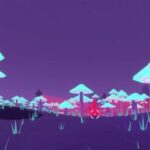
The generated document for this build is called Neo-Wilds. It describes the game, previews its visual direction, and includes a small interactive controls prototype. Those early visuals are not the finished Blender models.

Review the document before moving on. Check the economy, technology tree, color palette, proposed Godot structure, tooling, and roadmap. The document gives you a chance to assess what Sonnet intends to build before it creates the full game.
Try the Controls Prototype
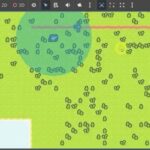
Use the interactive controls demo to explore selecting and moving units and panning around the map. This is a quick way to check the proposed mouse behavior while the project is still at the planning stage.

In this run, the document took roughly three to five minutes to generate. Its presentation was fairly plain, but it provided enough design information and interaction to move forward.
Generate the RTS With Stronger Visuals
Once the design is ready, tell Sonnet to build the game from it. If the preview looks too plain, emphasize that you want extra effort put into the visuals. You don’t need to request another design document just to make that direction clear.
Keep Low effort selected for this experiment. After generation, ask Claude to launch the result:
run the game and show me a screenshot
The initial build took about 20 minutes and used 32% of the session quota in this run. Those figures describe this project, not a guaranteed time or usage level for your own game.
Review the completion report as well as the visuals. Here, the report lists two unfinished areas: no fog of war and no real pathfinding, although units steer around obstacles. A feature appearing in a design document doesn’t mean it has been implemented in the playable build.
Playtest Resources, Buildings, and Combat
Open New Game from the Neo-Wilds menu and choose a difficulty. The generated game offers Easy, Normal, and Hard settings; this playtest uses Hard.
Start with your units and base, gather resources, and try the training options. Explore the map to see what the opposing side is doing, then build a Habitat to support a larger population and try adding a Forge.
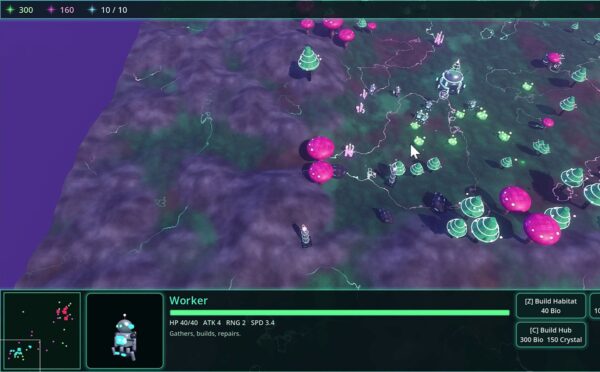
Playing through these actions exposes problems that a polished menu can hide. During combat, this build has a visible bug: buildings grow larger whenever they are attacked. Repeated hits eventually make the base enormous.

Fix the Building-Size Bug
Bring the observed behavior back to Claude as a specific request:
When a building is shot, it grows in size indefinitely as part of an effect gone wrong? Fix that
The fix returned in about a minute. Its explanation identifies the hit effect as the cause: it takes the model’s current scale as its starting point, so overlapping hits compound the growth.
The returned changes replace that behavior with a pulse that returns to a fixed resting scale. The report also addresses the same issue on resource nodes and accounts for buildings under construction. Its check reports that a Hub remains at scale (1, 1, 1) after 300 rapid hits.
This is the useful distinction between generating a prototype and iterating on it: the first build took much longer than this focused correction. A workflow worth trying is to use a more powerful model for the initial build and Sonnet for smaller iterations, rather than assuming every change needs the same approach.
Add a Large Battle Mode and Check Performance
Once the bug is addressed, ask for a mode that gets you straight into a crowded battle:
give me a mode in which there are already many building and units on both sides so I can quickly get into a huge battle, make it > 100 units on each side
This lets you examine the game with hundreds of units instead of waiting for both sides to build their armies during normal play.

The large battle drops frames in this build. Real-time lights and particle effects are suspected contributors, but that is not a confirmed diagnosis. The slowdown remains unresolved.
That performance check matters just as much as getting the game to run. AI can help you produce a prototype, but you still need to understand Godot and coding to adjust its layout, change its creative direction, or address performance issues. For this run, final session usage reached 35% after the follow-up work.
Keep Building Beyond the First Prototype
You’ve worked through an AI-assisted RTS workflow from a game brief to a playable build and follow-up tests. The key steps are:
- Connect your Godot and Blender tools to the AI workflow.
- Create and review an interactive game design document.
- Generate the game with a clear visual direction.
- Playtest resource gathering, construction, and combat.
- Request a focused fix for an observed bug.
- Test a large battle to reveal performance problems.
Use those results to decide what to change next. A working first version gives you something concrete to improve, while your understanding of the engine helps you take control of the project.
Build that foundation with Zenva Academy, where you can learn the coding and game development skills to refine your AI-generated prototypes and keep developing your own games.
Did you come across any errors in this tutorial? Please let us know by completing this form and we’ll look into it!
FINAL DAYS: Unlock coding courses in Unity, Godot, Unreal, Python and more.