A first prototype can contain a map, castles and battles yet still miss the feel of the strategy game you wanted. This guide to how to make games with Muse Wonder takes the hands-on, project-focused approach behind Zenva’s catalog of over 400 coding and game-development courses: connect your tools, plan the game, play the result, and refine the parts that fall short. You’ll use Meta’s model with OpenCode and Godot to build a small fantasy strategy game, then review what improved and what the experiment cost.
This tutorial assumes you already have OpenCode and Godot installed and know their basic interfaces.
For a guided way to learn AI-assisted coding and game development, explore Zenva Academy. You can continue with this free tutorial to follow the setup, planning and feedback workflow.
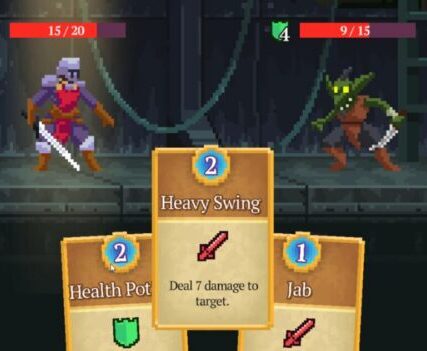
How to Make Games With Muse Wonder Using OpenCode
The model used here is Muse Wonder, not Muse Wonder Full. This build uses a developer API account rather than a Muse Code subscription.
OpenCode provides the coding harness for working with the model. It’s an open-source alternative to Claude Code or Codex, available as a desktop app or a terminal CLI. The desktop app is used for this project.
In OpenCode, go to Manage Models, then Connect Provider, and add Muse as a provider. In the Muse developer portal, open API Keys, generate a key, and add it to OpenCode.
Once the provider is configured, create a new folder for the project and open a project in that folder in OpenCode. Send a simple greeting to check that the model responds. Next, create a Godot project in the same folder.
Connect Godot AI and Verify It With a Cube
In Godot’s Asset Store, find and download the Godot AI extension. Install it, then open Project > Project Settings > Plugins and enable Godot AI. If the Godot AI panel offers an update during setup, apply it.
Open Clients & Tools, locate OpenCode, and click Configure. A green indicator shows that the connection is ready.
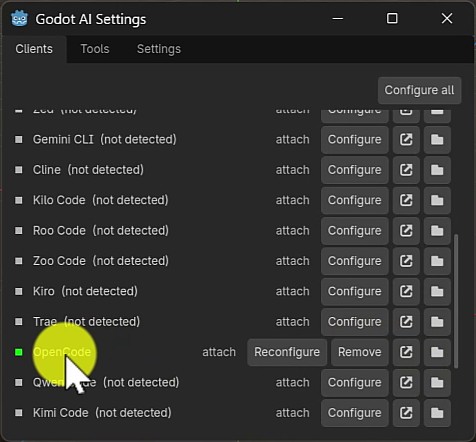
Back in OpenCode, check the MCP section under Summary for the Godot MCP server. Then test whether the agent can actually change the scene with this prompt:
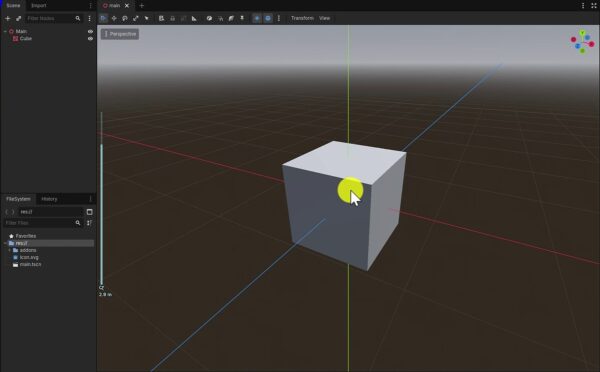
can you access the godot mcp? if so, create a cube in the scene
Return to Godot and look for the cube. In this setup, the agent created a scene containing it, and the cube appeared in the viewport and scene tree. This gives you a visible result before you ask for an entire game.
Describe a Small Fantasy Strategy Game
Keep the initial game concept simple and scoped. You command an army of creatures across a map, enter castles to battle monsters, visit cities to purchase creatures, and discover treasure or wild groups that may join your party.
The intended feel is fantasy exploration with retro charm. The request allows a procedurally generated, tile-based world, but also sets specific requirements for the assets and controls:
- Create the pixel art using Python.
- Synthesize the music using Python.
- Use mouse-only controls.
- Don’t use assets from the web or copyrighted material.
- Ask permission before installing packages.
- Don’t modify anything outside the current project folder.
These are instructions for the agent, not manual Python coding steps. They belong in the game request alongside the exploration, recruitment and battle loop.
Start by requesting a simple, attractive, interactive game design document in HTML. Don’t begin with implementation of the whole game.
Review the Game Design Document Before Implementation
The generated design is called Embercrown. Its document covers exploration, encounters, army growth, battles and capturing castles, with a preview of the planned world.
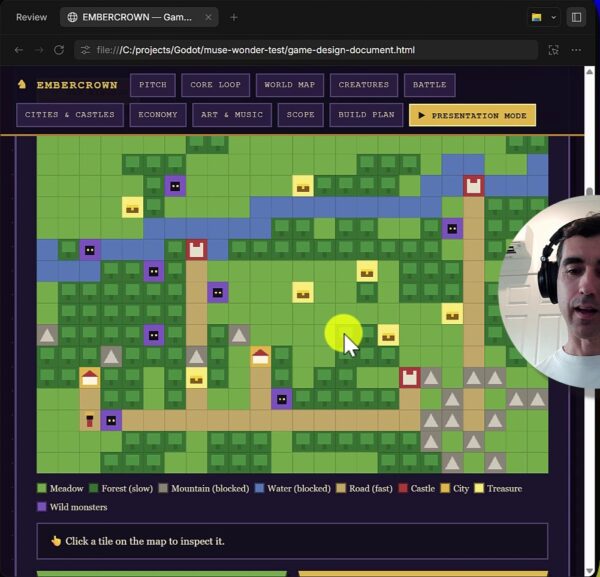
Use this stage to review what you’re building. The document includes navigation sections for the core loop, world map, creatures, battles, cities and castles, economy, art and music, scope, and build plan. It also has a presentation mode.
Changing the plan is faster and cheaper than changing an implemented game. For a quick experiment, you might review it briefly; for a project you want to develop seriously, take a more hands-on role in refining the details.
Once you’re happy with the plan, let the agent implement it in Godot. The HTML map preview is part of the design document, not the finished Godot game.
Play the First Build and Identify What Is Missing
Open the generated scene in Godot and run the game. The first version has a tile map, castles, treasure, a movement allowance and an army panel.
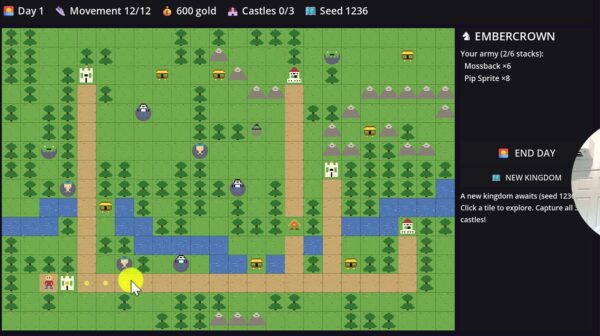
Try exploring, collecting treasure and entering a castle. In this build, treasure collection adds gold, but the visuals are basic, movement feels clunky, and the battle interaction isn’t clear. Moving through the forest also appears problematic.
The map reveals everything from the outset, which weakens the intended feeling of discovery. The first request also doesn’t explicitly describe the tactical battles that were wanted. The result therefore needs more specific direction, not just a request to make it “better.”
Give Specific Feedback on Art, Music and Exploration
Keep the improvements tied to what you noticed while playing. The submitted revision request focuses on these areas:
- Music: create a stronger feeling of exploration, wonder, danger and magic.
- Pixel Art: improve the quality and colors while keeping the existing resolution.
- Fog of War: hide unexplored areas instead of revealing the entire map.
- Movement: address inconsistent movement and allow travel through trees.
- Discovery Feedback: add sound or visual effects when revealing enemies or treasure.
This gives the agent concrete changes to work on while retaining the original game concept.
Why the Tactical Battle Request Was Missing
There is an important distinction between the intended feedback and what reached the model. The dictated prompt ended early, so the battle instruction was never sent. The revised game still doesn’t provide the intended tactical battles with moving units, but that is not evidence that Muse Wonder ignored a submitted instruction.
Review the Revised Strategy Game
After the revisions, the map looks better and unexplored areas remain hidden. Moving around gradually reveals more of the terrain, which supports the sense of exploration the first version lacked.
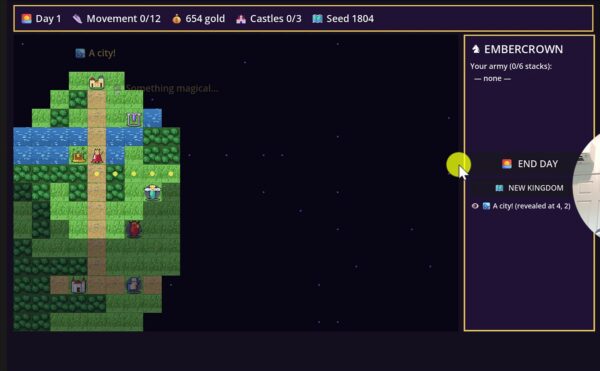
You can collect treasure, discover a shrine and encounter wild creatures. Movement is limited for each day, and End Day lets you start another day when that allowance is exhausted.
The improvement is visible, but it isn’t a polished result. Some sprites, such as the treasure chest, remain underwhelming, and the battle screen still uses army and enemy lists rather than the desired tactical movement.
What Did the Muse Wonder Game Cost?
The rates quoted for this test were $4 per million input tokens and $20 per million output tokens. At the end of the run, the new account’s usage dashboard showed A$10.32 spent, approximately US$7 at the time.
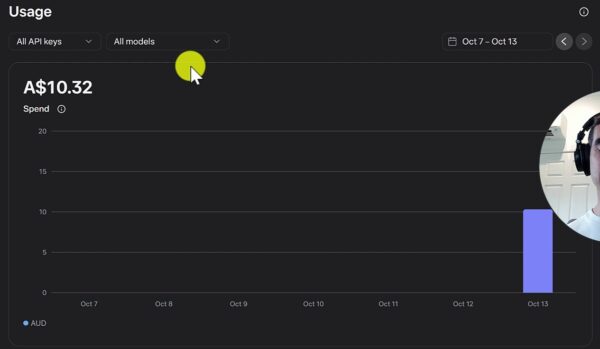
That is the cost of this particular experiment, not a fixed price for generating a strategy game. Your outputs and usage can vary. Here, the revisions improved the map and exploration, but the overall result was still disappointing relative to the spend.
Build, Test and Refine With a Clear Plan
You’ve followed the project from a working tool connection to a revised fantasy strategy prototype. The key parts of the workflow are:
- Connect Muse Wonder through OpenCode and verify the Godot integration with a small scene change.
- Describe the game loop, asset requirements, controls and project boundaries.
- Review an interactive design document before implementation.
- Play the first build and give specific feedback on the parts that fall short.
- Distinguish missing requirements from instructions that never reached the model.
- Review the final gameplay alongside the actual cost.
The next step is to apply that planning and review process to a small project of your own, keeping the result you can play at the center of the evaluation.
Develop your AI-coding and game-development skills with practical, guided learning at Zenva Academy, so you can plan projects, direct agents and review what they produce with more confidence.
Did you come across any errors in this tutorial? Please let us know by completing this form and we’ll look into it!
FINAL DAYS: Unlock coding courses in Unity, Godot, Unreal, Python and more.